
iPod sync
 Apple Music with old school iPod
Features
- Apple Music downloads Pull playlists, albums, or artists to your Mac as m4a files.
- iPod nano sync Plug in, copy tracks into the device library, eject when done.
- Stays on your Mac Token and library never leave this computer.
How to
- Download the Mac app and open it. The build is not notarized by Apple (I've just built it locally), so Gatekeeper will refuse the first launch with a message like “Apple cannot check it for malicious software.” Open System Settings → Privacy & Security, scroll to that blocked-app notice, click Open Anyway, then confirm when macOS asks again.
-
Connect Apple Music with a `media-user-token` cookie (Apple has no sign-in API for apps like this):
- Sign in at music.apple.com in Safari or Chrome.
- Open developer tools (⌥⌘I), then go to Application → Cookies → https://music.apple.com (in Firefox: Storage → Cookies).
- Find the cookie named `media-user-token`, copy its value, and paste it into the app when prompted.
- Download playlists, albums, or artists to this computer.
- Plug in your iPod nano, add tracks, then eject before opening Music on the device.
Requirements
macOS on Apple Silicon, an active Apple Music subscription, and an iPod nano that mounts in Finder over USB.
A bit in depth how it works
Sign in once with a browser cookie. Apple Music has no sign-in API for this kind of app. You log in at music.apple.com, copy the media-user-token cookie, and paste it into iPod sync. The app validates it against Apple’s library API and saves it locally.
Everything stays on your Mac. The token is stored under ~/.config/ipod-sync. Downloaded audio and the library index never leave your computer — they are not sent to sofacode.dev or any other third-party service. The only network calls the app makes are to Apple Music, to list your library and download the tracks you choose.
Download, then copy. Selected songs are downloaded as unprotected m4a files into your local library. When an iPod nano is plugged in and mounted, the app copies those files into iPod_Control and updates the device’s SQLite library so they show up under Playlists, Albums, and Artists.
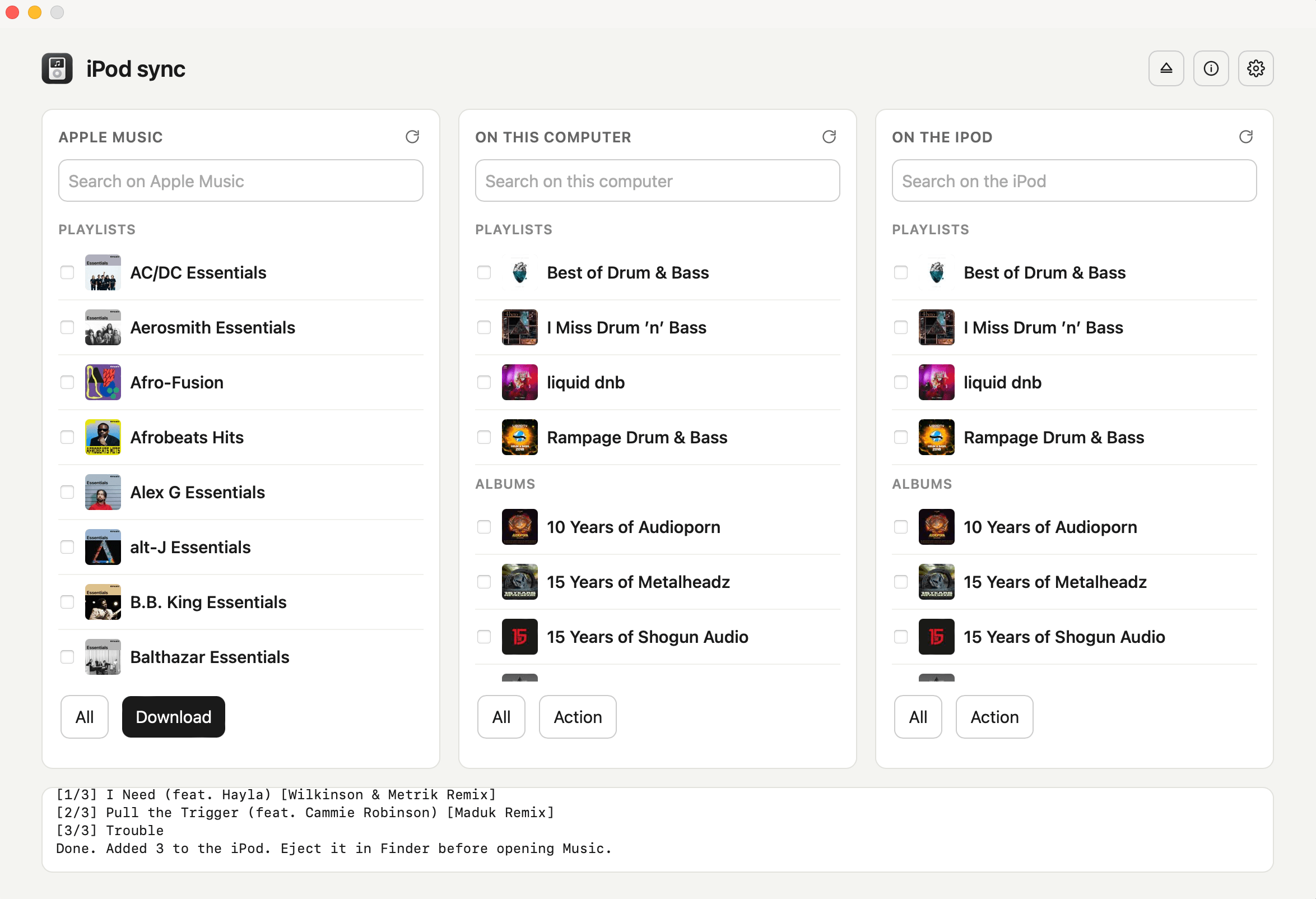
Three columns, one flow. Apple Music on the left, this computer in the middle, the iPod on the right. Refresh each side, search, select, download, add, remove, or eject — with a live log of what is happening.
Contact
Questions, bugs, or commercial licensing: silnychyi@gmail.com